LightDark

Ashley Bailey Designs  ·  Website Strategy  ·  Brand Identity  ·  Digital Growth

BUILD

Client Case Study — Web Strategy

Build the Blueprint Before
You Build the Website

How CAD Home Crafters & Designs discovered that skipping the strategy phase cost them in customer experience, navigation clarity, and search visibility — and what the right approach looks like.

Navigation ArchitectureUX StrategyWix PlatformKeyword ResearchSEO Positioning

The Client

Meet CAD Home Crafters & Designs

CAD Home Crafters & Designs is a home improvement and custom design business serving homeowners in their local market. Like many small businesses, CAD brought genuine skill, passion, and expertise to their craft — and a strong desire to establish a credible, effective online presence.

When it came time to build a website, the team did what countless small business owners do every day: they turned to Wix — one of the most accessible, beginner-friendly website building platforms available. They chose a template, began adding content, and started building.

The result was a website. But not the website their customers needed — or that their business deserved.

↑ Click to upload your image

↑ Click to upload your image

The Core User Experience Problem

What Happens When You Build Before You Plan

The challenge CAD Home Crafters & Designs faced isn’t unique to them — it is one of the most common and most costly mistakes small businesses make when building a website. They started building before they had a blueprint.

Specifically, CAD began creating their Wix website without first establishing a navigational hierarchy — a clear, strategic map of what pages the site would include, how those pages would be organized, how a user would move from one to the next, and what each page would need to accomplish for both the visitor and the business. The consequences played out exactly as they always do when strategy is skipped in favor of speed.

🧱

Template Constraints Become Traps

Wix templates are pre-formatted structures. When you build without a navigation plan, you begin cramming content into whatever space the template makes available — not where the content strategically belongs. The template starts working against you instead of for you.

🔀

User Experience Breaks Down

Without a pre-planned user journey, visitors land on the site and encounter a navigation that reflects how the business added content, not how a customer thinks about their problem. Confusion leads to exits. Exits lead to lost business.

🔍

Search Engines Can't Find You

Without keyword research informing the site structure, page titles, headings, and copy — the site becomes invisible to the people actively searching for exactly what CAD offers. Good work, invisible online presence.

“Starting a website without a navigation hierarchy is like building a house without blueprints. You might end up with walls — but rooms that don’t make sense, doors that open the wrong way, and a structure that doesn’t serve the people living in it.”

— Ashley Bailey Designs, Web Strategy Framework

↑ Click to upload

CAD Home Crafters & Designs Wix Website Before the Website Redesign
Too Many Items, No Hierarchy — Original Wix site, desktop view

↑ Click to upload

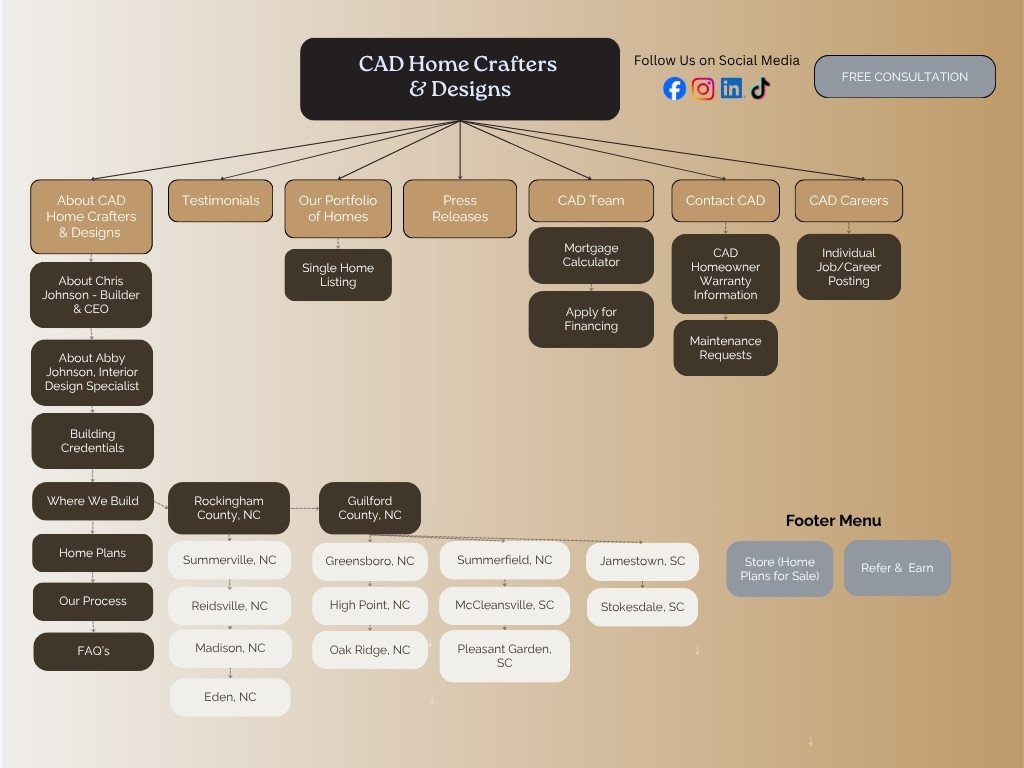
Custom Home Builder Website Redesign Site Map for User Experience and Website Architecture
Newly Strategized Content and User Flow

Understanding the Tool

Wix Is Powerful —
When Used Strategically

Let’s be clear: Wix is a legitimate, capable website building platform. Millions of businesses use it successfully. The problem was never the platform — the problem was the order of operations. Strategy must come before tools.

Wix’s drag-and-drop interface is designed for flexibility, but that flexibility carries a hidden risk: it makes it deceptively easy to start building immediately, before you’ve thought through the structure of what you’re building. The result is a website that looks like a business — but navigates like an afterthought.

The Template Trap

Pre-formatted templates are designed to showcase features, not your business strategy. Every time you try to force content into a section that wasn’t designed to hold it, the visual design suffers, the user experience degrades, and your message gets diluted.

What Gets Lost Without a Plan

Without pre-planning, critical pages get buried, services get lumped together when they need their own SEO pages, calls to action end up in the wrong places, and contact information becomes hard to find — the single most damaging thing a small business website can do.

8 sec

average time before a confused visitor leaves

88%

of users won't return after a bad experience

75%

judge credibility by website design and navigation

more likely to convert within 3 clicks

↑ Click to upload

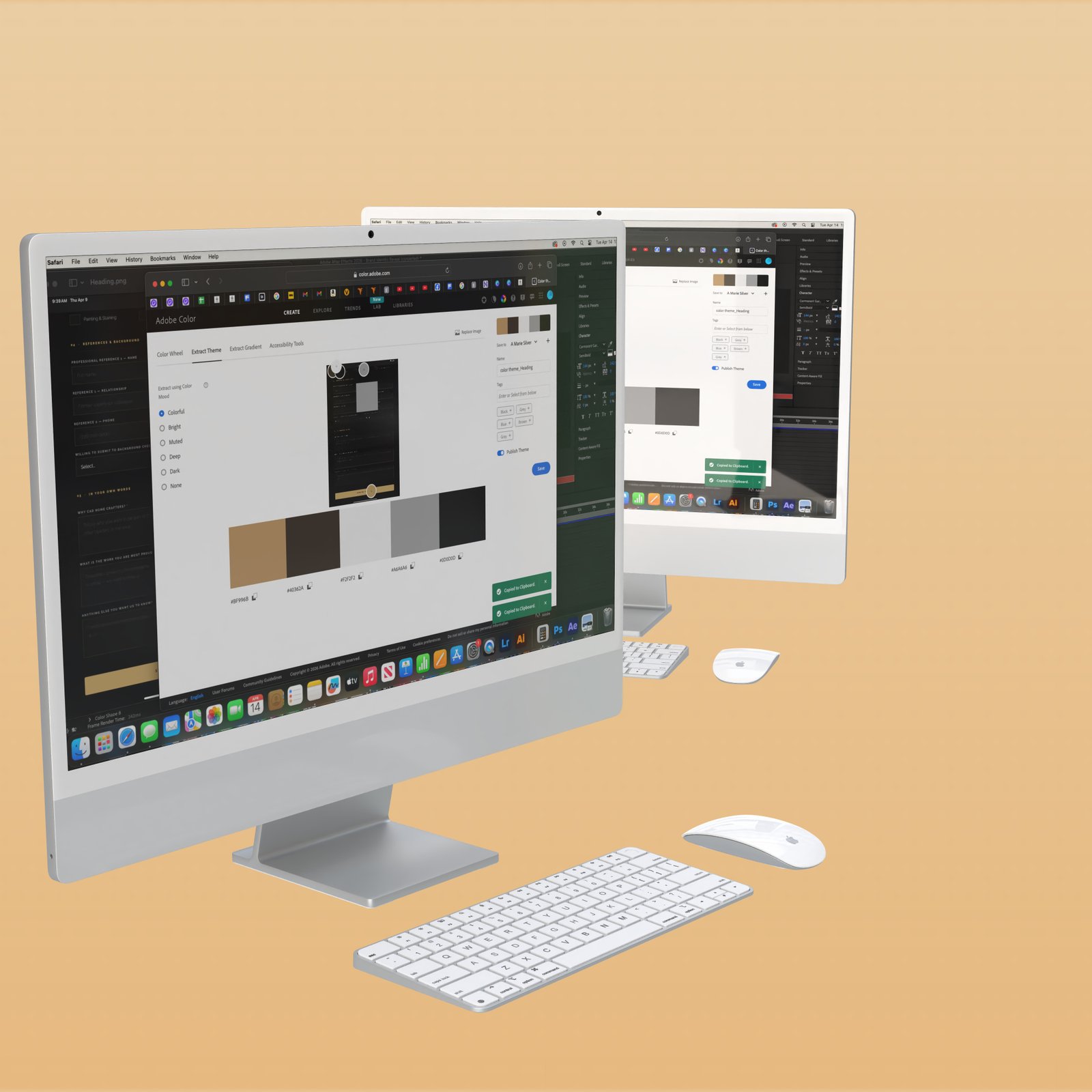
CAD Home Crafters Website Redesign for Home Builders Color Scheme
Annotated screenshot — 1400×500px · Highlight problem areas with callouts

The Right Approach

Outline User experience First. Build Your Website Content Next.

A website redesign isn’t complicated, but it does require discipline — the discipline to slow down before you speed up. Before a single web page is built, before a design or template is chosen, before a single word is written, a website needs a navigational hierarchy — a strategic document that maps out every page, every section, and every user pathway towards the end goal – revenue. 

Think of your website site map as the architectural blueprint of your online digital presence. Just as no reputable contractor would begin framing a house without approved drawings, no serious web strategist builds a website without a sitemap and wireframe.

✕ Without a Hierarchy Plan

Navigation Bar

Hero Section

Wrong Section — Content Forced In

Gallery (should be a separate page)

Cluttered nav · Content buried · No SEO structure · Users lost

✓ With Strategic Hierarchy

Clean Primary Navigation (5 items max)

Strategic Hero — Clear Value Prop + CTA

Services Overview → Links to Dedicated Pages

Social Proof / Portfolio Preview

Intuitive navigation · Intentional content · SEO-ready structure · Users guided

Why Website Maps Are Important to a Website Redesign

Sample Sitemap — CAD Home Crafters & Designs

Home

Services

↳ Custom Builds

↳ Renovations

↳ Design Consult

Portfolio

↳ Kitchens

↳ Bathrooms

↳ Outdoor

About

↳ Our Story

↳ Our Team

Reviews

↳ Testimonials

↳ Case Studies

Contact

↳ Get a Quote

↳ Service Area

What a Navigation Hierarchy Actually is

Navigation hierarchy is the structure that’s provided to a website giving a potential website visitor a strategic flow to experience and navigate through your business’s website. Without a navigation hierarchy a user is left to hunt and peck their way through your content and they often leave your business’s website frustrated, having not found the information they came to find. 

Thinking Through the User Experience journey

Custom Home Builder Website Redesign Site Map for User Experience and Website Architecture

If users cannot find the content or information they sought to find or that led them to your website, it will lead to a higher bounce rate in Google Analytics. Ultimately, your rankings on search engine results pages (SERPs) will be affected and you will lose traffic over time. 

Lorem ipsum dolor sit amet, consectetur adipiscing elit. Ut elit tellus, luctus nec ullamcorper mattis, pulvinar dapibus leo.

How to Do It Right

Five Steps to a Website
User Experience That Works

01

Define Your Business's Primary User Goals

Before building anything, ask: what are the 3 things a visitor (ie, potential customer) most need to accomplish when visiting your business or brand’s website? For a home crafts and design business, those are almost always: understanding what you do, seeing proof of your end product you are selling, and having a path to purchase your products/services and providing a clear way to contact you and your business easily.

02

Map Your Business's Website Content to the Target User Journey

Once you know customer’s goals, map your website content accordingly. Services pages should answer ‘what do you do?’  and questions a customer might have about your business. Portfolio pages should answer ‘can I see your work?’ About YOUR BUSINESS NAME pages answer ‘can I trust you?’ Contact your business pages answer ‘how do I reach you for what you are selling?’

03

Design the customer's ideal navigational experience, then choose the website structure for your customer

With a finalized sitemap in hand, evaluate Wix templates based on whether they support your navigation structure — not the other way around. This one shift transforms the platform from a constraint into a tool.

04

Write Website Content for Your Ideal Customer, Then Optimize the Content for Search Engines like Google, Bing and Yahoo.

Write website page content that speaks directly to your customer’s needs. Then — and only then — layer in search engine optimization (SEO) with keyword-rich headings, meta descriptions, alt text, and internal linking. Build your website strategy-first and then create content that converts. Remember that keyword-stuffed content alienates potential customers. 

05

Build, Test, and Refine Based on Real Website and User Data

Launch your business/brand website, connect Google or Adobe analytics, and watch how real customers (users) move through the new website redesign. Where do customers (users) drop off? What do they click unexpectedly get unexpected results? Use that customer data to continually refine your business’s website experience. A website is never finished. It only evolves over time. 

Does your current website have a clear navigational hierarchy? Ashley Bailey Designs offers website audits that identify exactly where your site structure is costing you customers.

Search Visibility & Geographic Positioning

Being Found Is a Marketing Strategy,
Not an Accident

Even a beautifully structured website will underperform if no one can find it. For a local custom home builder business like CAD Home Crafters & Designs, search visibility is the single greatest driver of new customer acquisition — and your website strategy begins with understanding how your ideal customers search, what words they use, and how to position your business geographically.

This is the discipline of keyword research — and it should happen before a single word of website copy is written. Not after.

Why Keywords Must Inform Structure

Different services require different pages. A contractor who does kitchen remodeling, bathroom renovation, and custom deck building should not lump all three services onto a single ‘Services’ page. Each service deserves its own dedicated page — optimized for the specific search terms people use when looking for that service.

When CAD’s site structure is built with keyword research in mind, each service page becomes a targeted entry point. A homeowner searching ‘custom deck builder Augusta’ lands on a page that speaks directly to their need — not buried three scrolls down in a generic services overview.

Geographic Positioning: Owning Your Local Market

For a business like CAD, the vast majority of clients come from a defined geographic area. Being the #1 result in your city for your specific service beats being the #47 result nationally every single time. Capturing local intent requires deliberate placement of geographic terms throughout your site’s structure, headings, page titles, and content.

Keyword PhraseIntentCompetitionRecommended PagePriority
home renovation contractor [city]Commercial / LocalMediumHomepage + AboutHigh Value
custom home crafters near meLocal / TransactionalLowHomepage HeroHigh Value
kitchen remodel [city/county]TransactionalHighDedicated Kitchen PageImportant
custom deck builder [city]TransactionalLow-MedDedicated Deck PageHigh Value
bathroom renovation contractorCommercialMediumDedicated Bathroom PageImportant
home design consultation [city]Informational / LocalLowServices + ContactBuild Over Time
CAD Home Crafters Designs reviewsNavigational / TrustVery LowTestimonials PageBrand Priority

↑ Click to upload

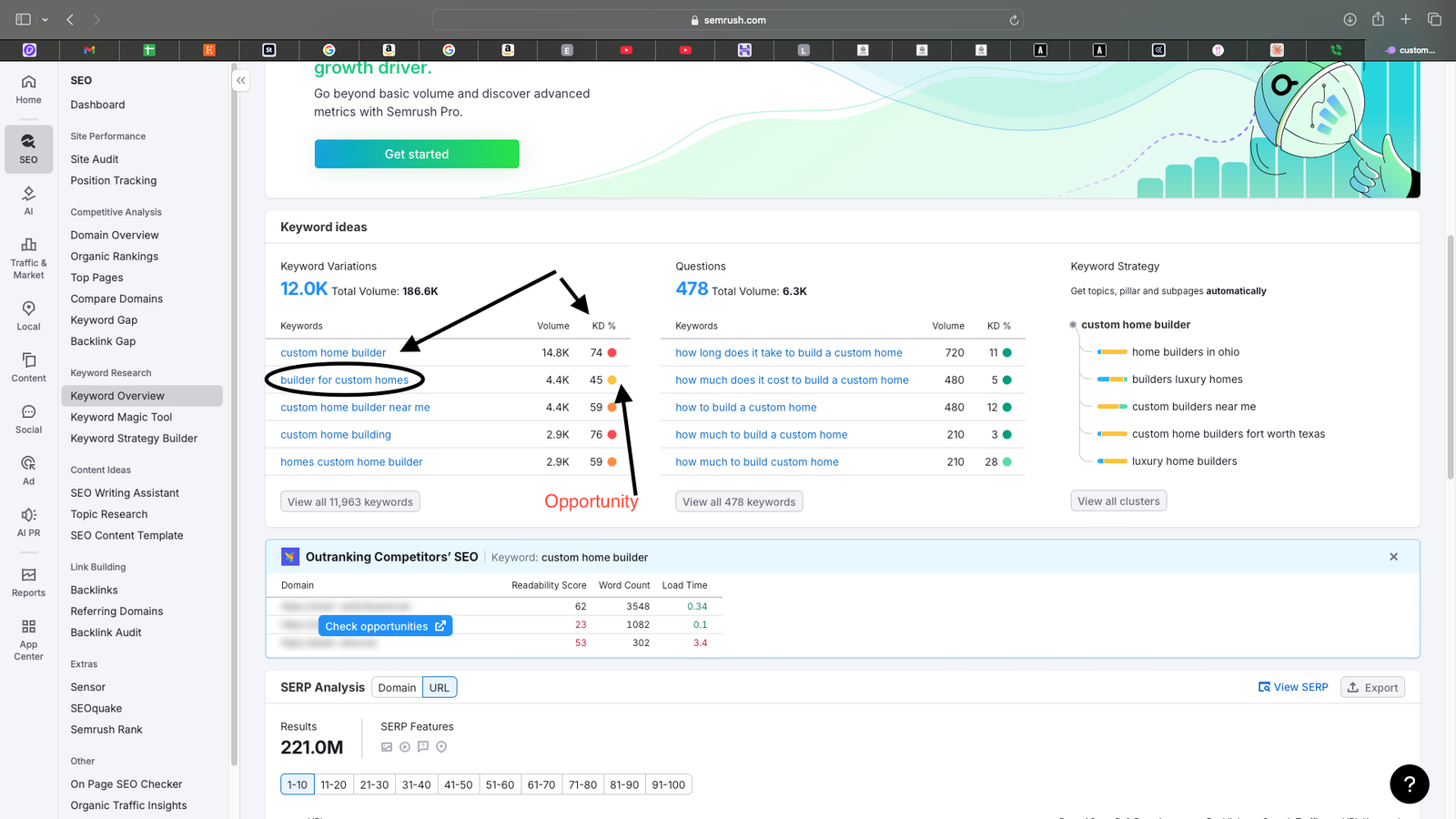
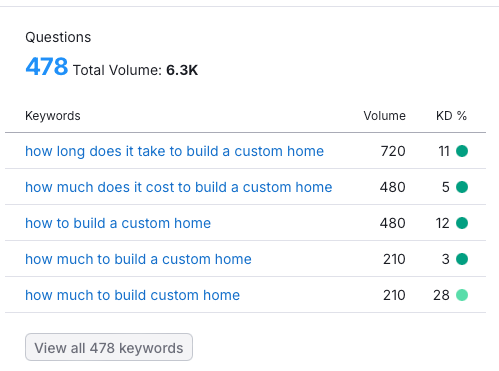
Search Engine Marketing Dashboard showing the keyword difficulty for custom home builder keywords
Search Volume & Competition Analysis

↑ Click to upload

Builder of Custom Homes Keyword Opportunities
Annotated screenshot — 'contractor near me' result

↑ Click to View Larger

Website Redesign Greensboro, North Carolina
Google Analytics screenshot — post-optimization data

The User Experience Cost

When Navigation Fails,
Customers Leave

Poor navigation isn’t just an aesthetic problem. It is a revenue problem. Every visitor who lands on a website and can’t quickly find what they need is a potential customer who never calls, never emails, never converts — and in most cases, never comes back.

What Poor Navigation Actually Costs

  • Services buried in a long scrolling page instead of their own dedicated, search-optimized pages
  • No clear calls to action at the points where a visitor is most ready to reach out
  • Contact information hard to find — requiring multiple clicks to reach a phone number or form
  • Mobile navigation broken — template collapse creating an unusable experience on smartphones
  • Portfolio images not organized by service type — impossible to find relevant work quickly
  • No service area clarity — visitors unsure whether CAD even serves their location
  • No trust signals at key decision points — reviews not visible where needed most

What Strategic Navigation Delivers

  • Each service gets its own page, optimized for the specific keywords customers use
  • Calls to action appear in every section — visitors always one click away from contact
  • Phone number and contact form visible in the navigation bar on every page
  • Mobile-first navigation design — the most common device your customers use is prioritized
  • Portfolio filtered by project type — every visitor sees relevant work immediately
  • Service area page with the specific cities, counties, and communities served
  • Reviews and testimonials embedded on service pages, not hidden on a separate tab

↑ Click to view larger

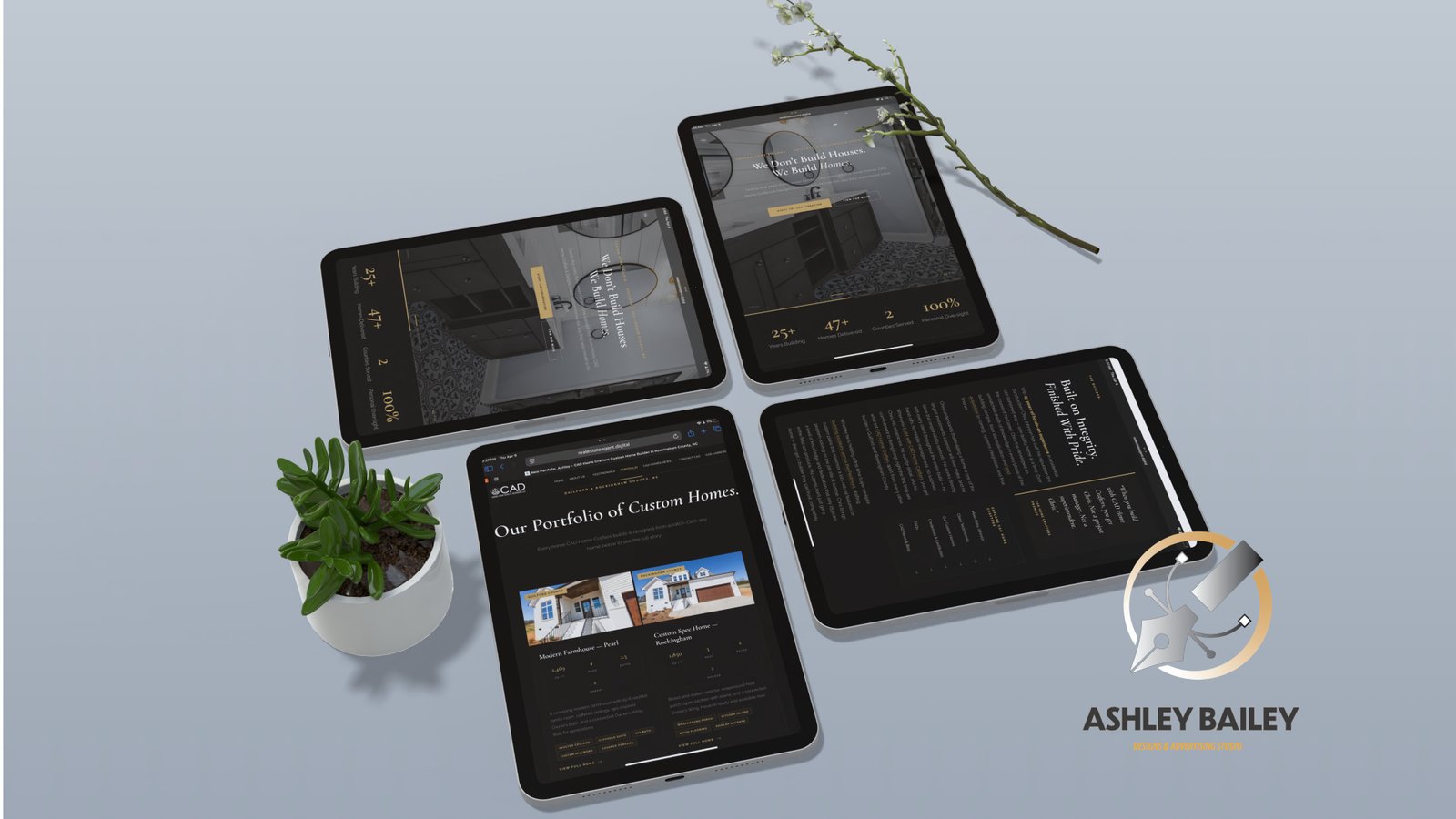
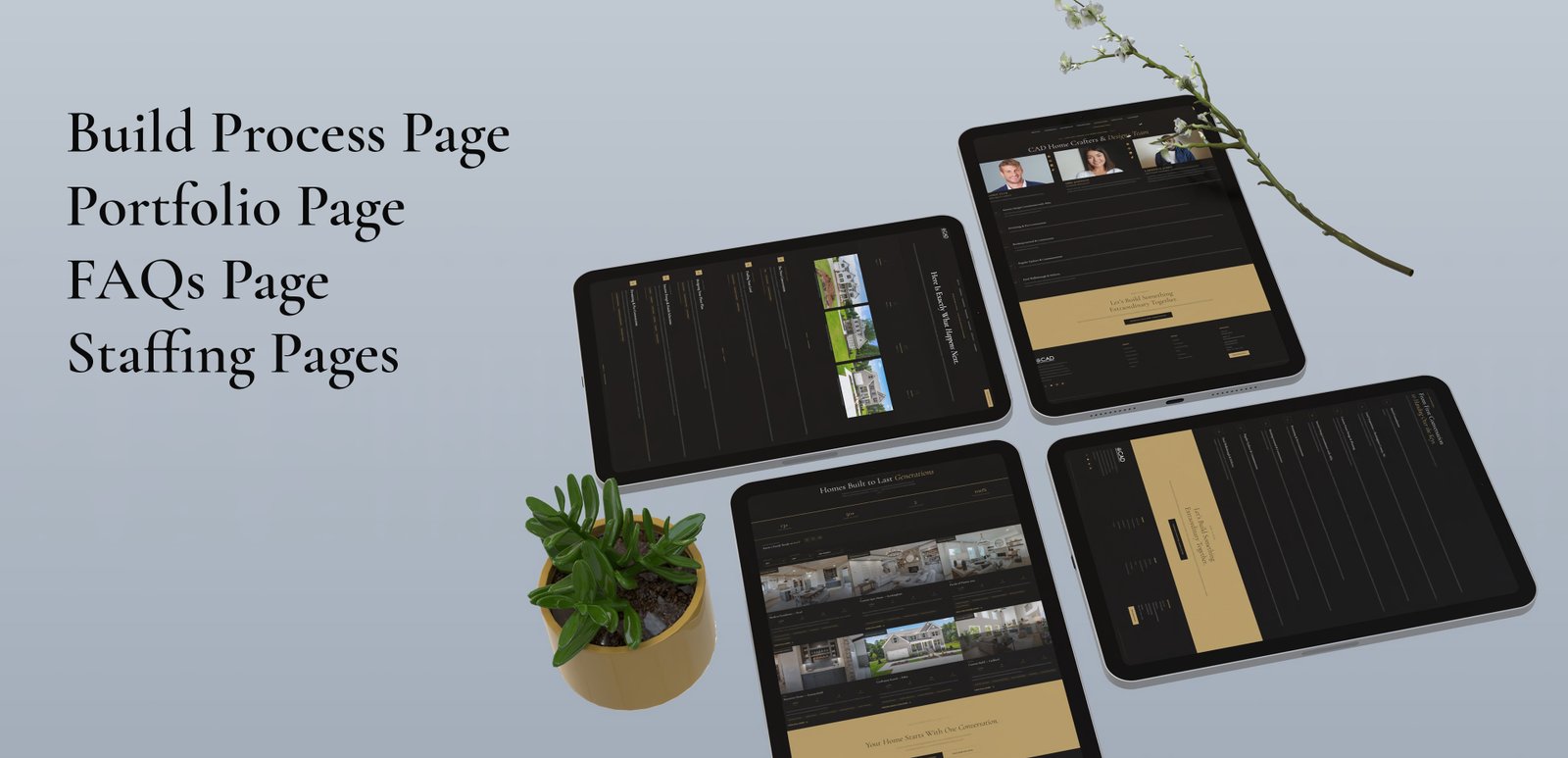
CAD Home Crafters & Designs Custom Home Builder Website Redesign shown on four ipads
Homepage Before — Desktop screenshot, unplanned layout

↑ Click to view larger

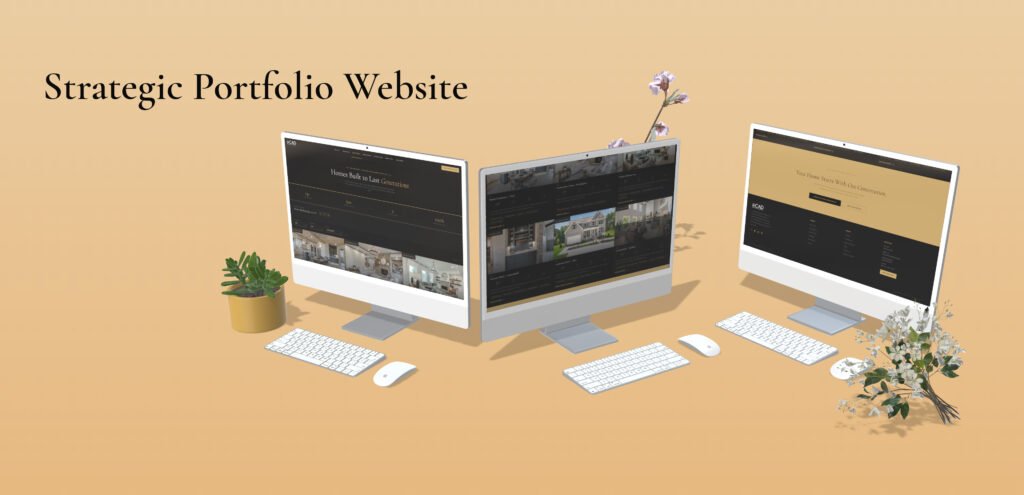
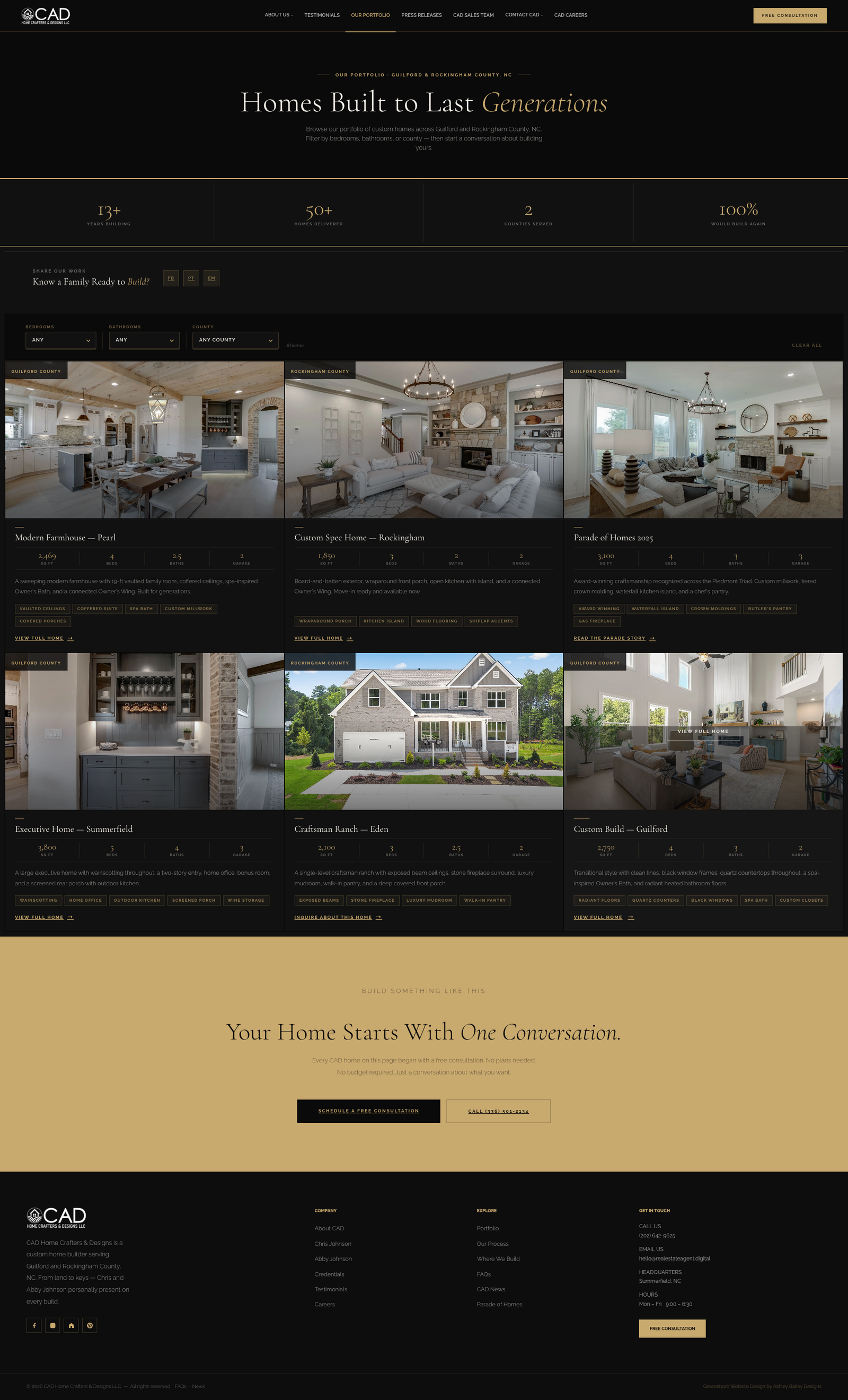
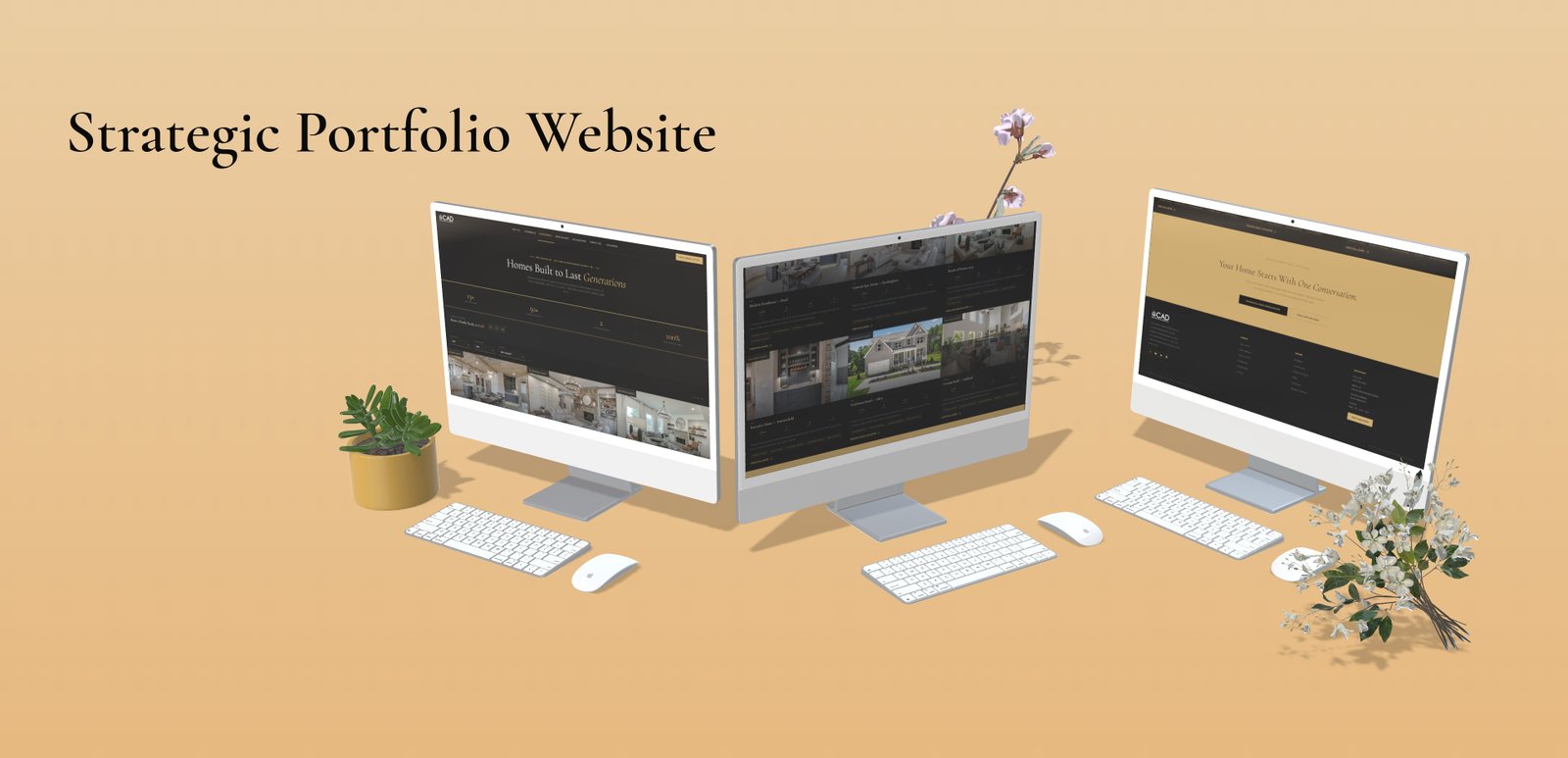
CAD Home Crafters Website Redesign for Home Builders
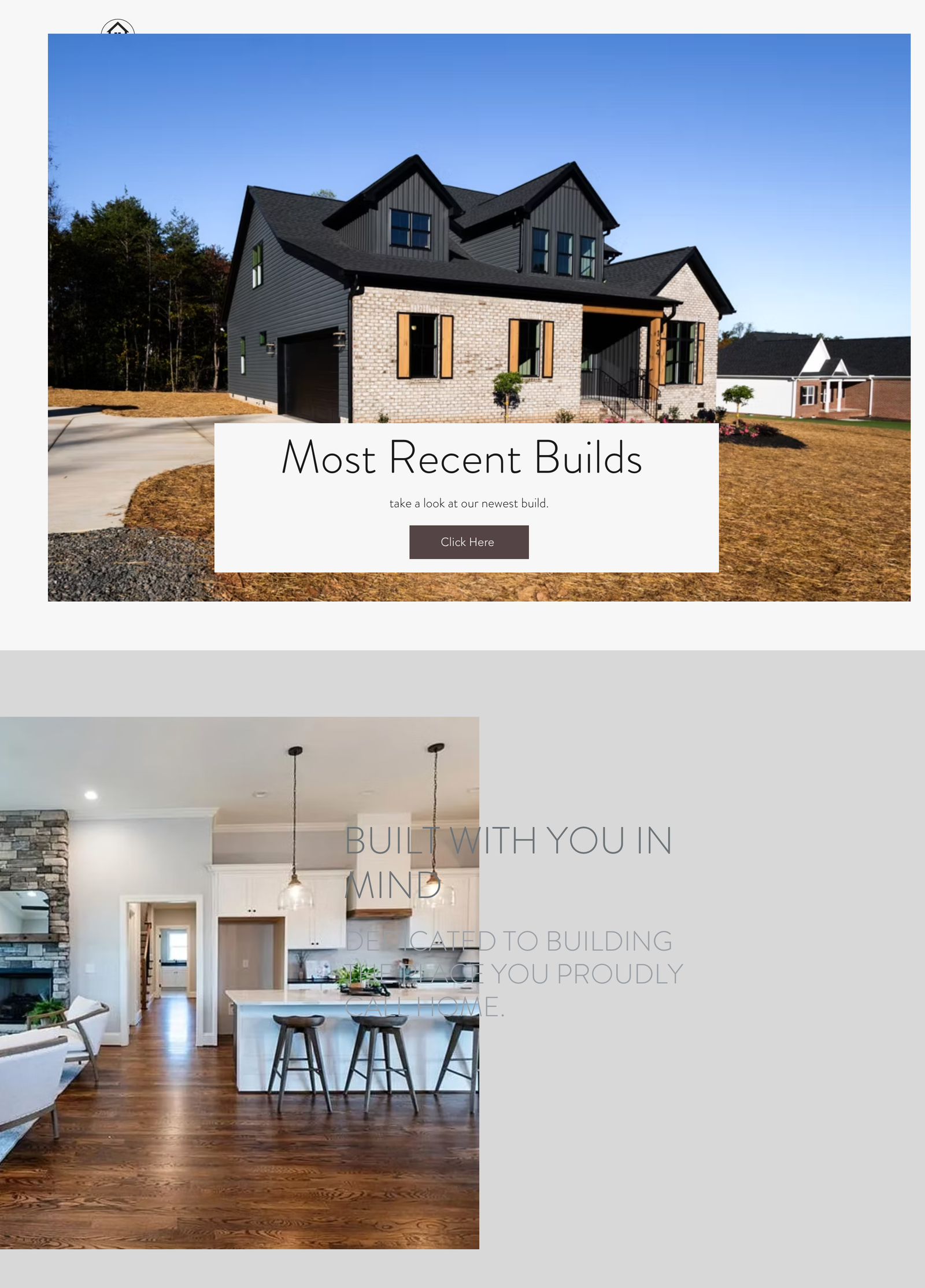
Homepage After Website Redesign— Desktop screenshot, strategic hierarchy

↑ Click to view larger

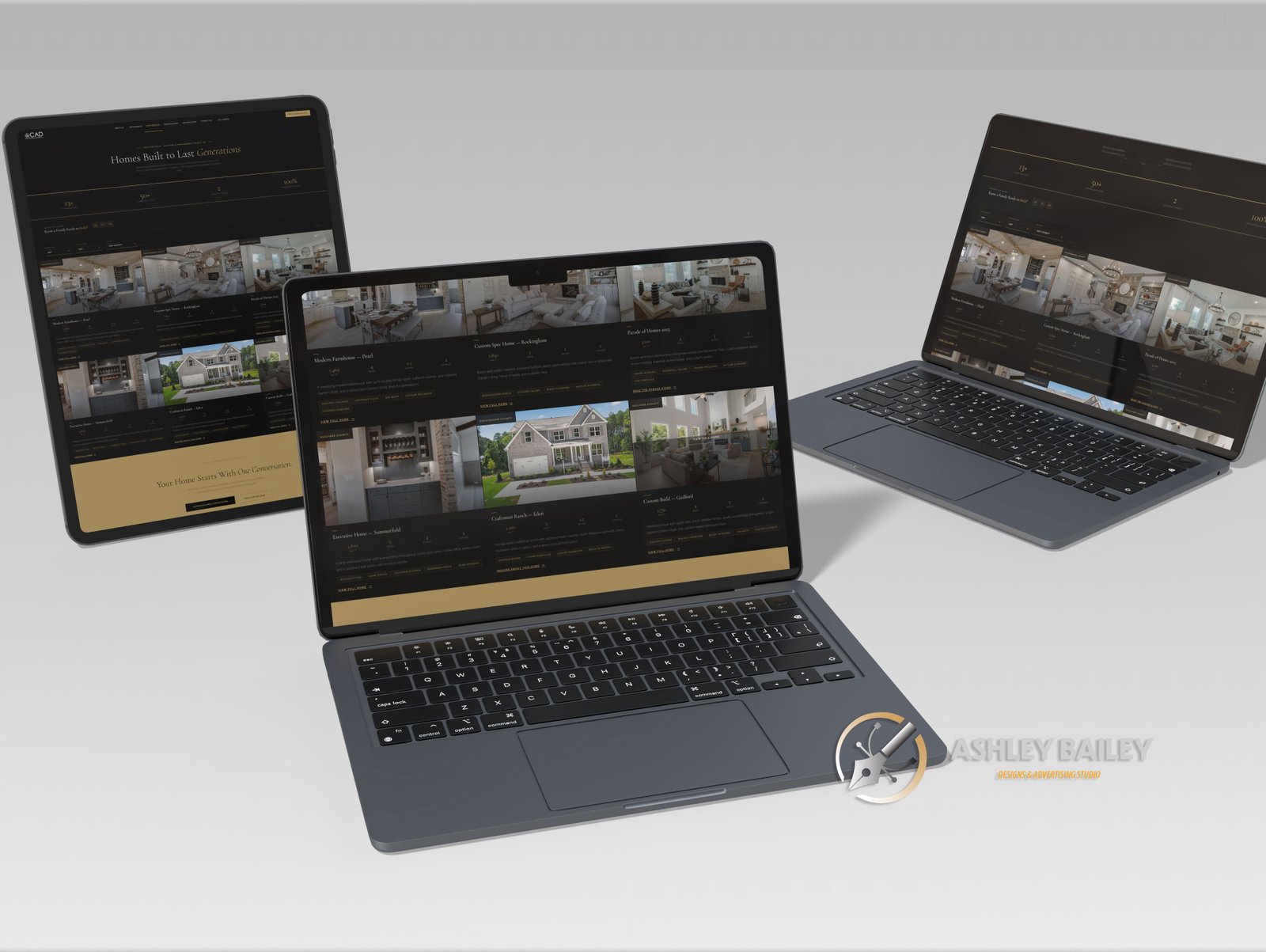
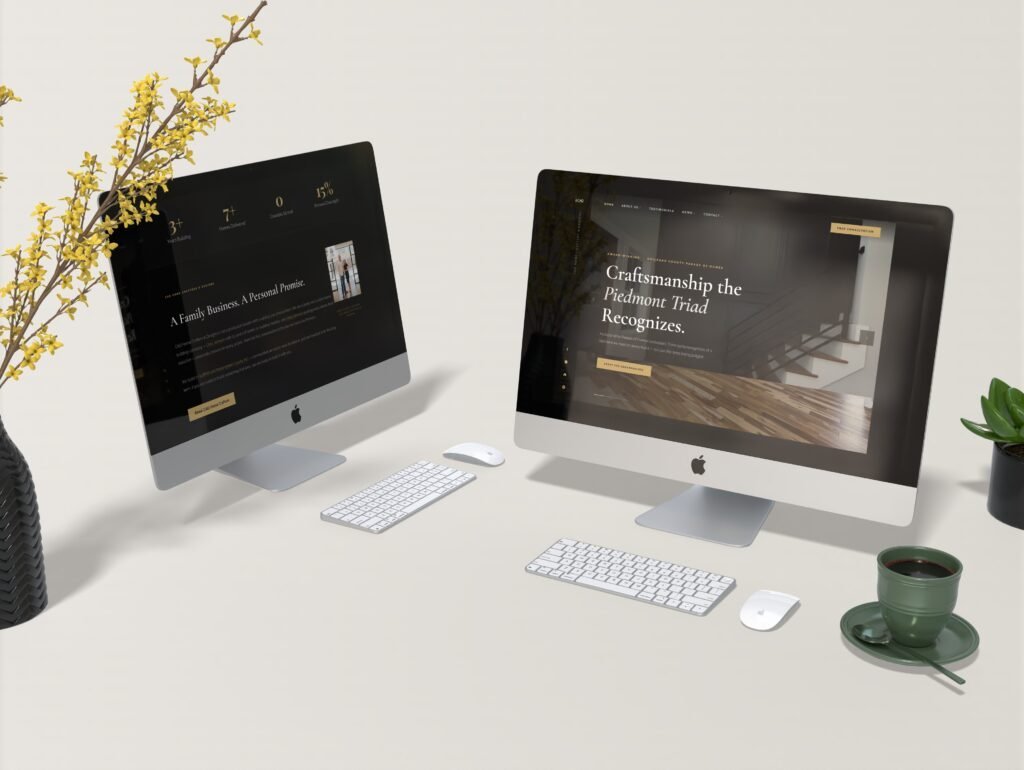
CAD Home Crafters & Designs new home builder redesigned website
Desktop After Website Redesign— Responsive navigation screenshot

The Best Website User Experience Outcome

What Changes When
Strategy Comes First

When CAD Home Crafters & Designs approached the rebuild with a proper navigational hierarchy, keyword research, and user journey mapping in place before any building began, the transformation was measurable — in the site’s structure, in its search performance, and in the experience it delivered to every visitor.

📈

Users Could Navigate With Confidence

With the user journey mapped before the build, every page answered the question a visitor had when they arrived. CTAs appeared where decisions were made. Contact information was always one click away. The experience reflected the quality of the work CAD actually produces.

🗺

Structure Drives Everything

With a sitemap created before a template was chosen, every page had a defined purpose and audience. Content had a logical home. The template was evaluated on whether it served the structure — not the other way around. Building became execution, not improvisation.

🔍

Website Keyword Research Informed Every Page Redesign

With local optimized keyword research completed before a single word was written, each page title, heading, and paragraph was built to capture specific search intent. Each service became its own page — a dedicated SEO landing point with geographic terms matching how real customers actually searched.

↑ Click to upload

CAD Home Crafters Website Redesign for Home Builders Color Scheme
Analytics chart — before vs. after strategy-led rebuild — 700×380px

↑ Click to upload

CAD Home Crafters Website Redesign for Home Builders Color Scheme
Analytics chart — before vs. after strategy-led rebuild — 700×380px
CAD Home Crafters & Designs new home builder redesigned website
Quote card / headshot — 700×380px

“The biggest mistake wasn’t using Wix. The biggest mistake was treating the website like a bulletin board instead of a strategic tool — and building it before we understood what it needed to do.”

— Web Strategy Debrief, CAD Home Crafters & Designs Engagement

The Lessons Every Small Business Should Take From This

  • Your website platform is a tool, not a strategy. Wix, WordPress, Squarespace — none of them can compensate for the absence of a plan.
  • Navigation hierarchy is the foundation of everything. SEO, UX, content strategy, conversion rates — all depend on getting the structure right first.
  • Every page needs a job. Define the purpose, the audience, and the search intent of every page before you build it.
  • Local keyword research is not optional. For home services businesses, local search is the primary acquisition channel.
  • Think like your customer, not like your business. Organize your navigation around how customers think about their problem.
  • Mobile comes first. More than half of all local searches happen on mobile devices.

↑ Click to upload

Kitchen Remodel

↑ Click to upload

Bathroom Renovation

↑ Click to upload

Custom Deck Build

↑ Click to upload

Custom Woodwork

Ready to build your website the right way — blueprint first, build second? Ashley Bailey Designs creates strategically planned, search-optimized websites for home services businesses and professional brands.

Work With Ashley Bailey Designs

Your Website Should Work
As Hard As You Do

Don’t build and then plan. Plan, then build. Ashley Bailey Designs partners with small businesses, home service providers, and growing brands to create websites that are strategically structured, locally optimized, and built to convert.

Website Strategy  ·  Navigation Architecture  ·  Local SEO  ·  Brand Identity

hello@ashleybaileydesigns.com  ·  © 2025 Ashley Bailey Designs  ·  Augusta, Georgia